How to Delete Your Account
Follow these simple steps to permanently delete your account
1
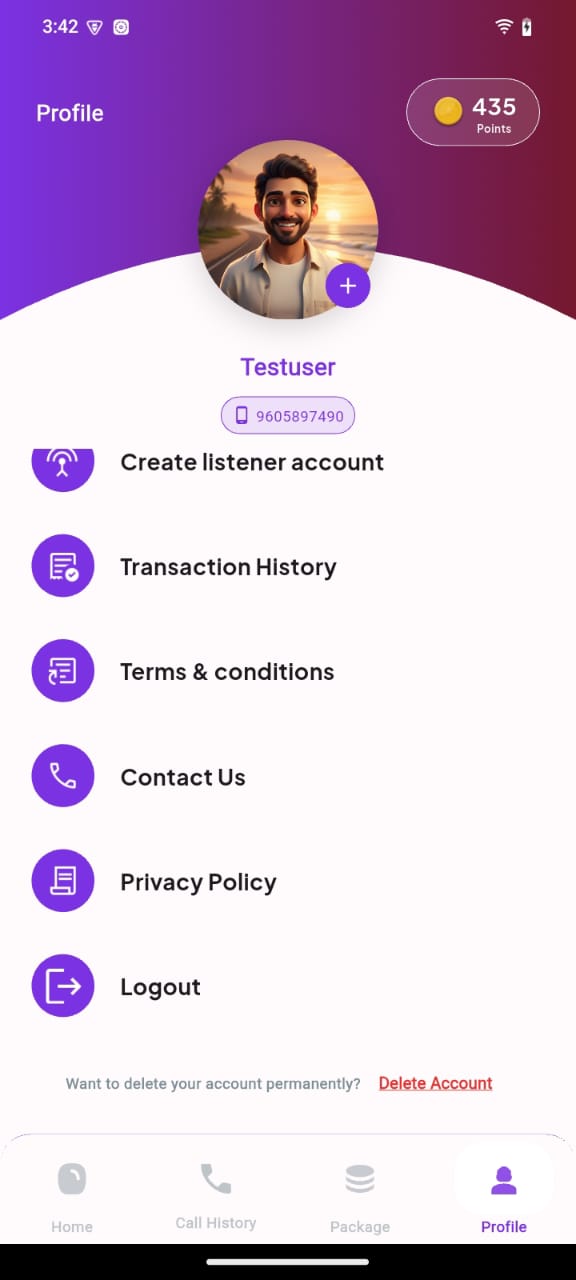
Open Your Profile
Navigate to your profile section in the app. This is usually in the bottom right corner of the screen.
2
Click delete account
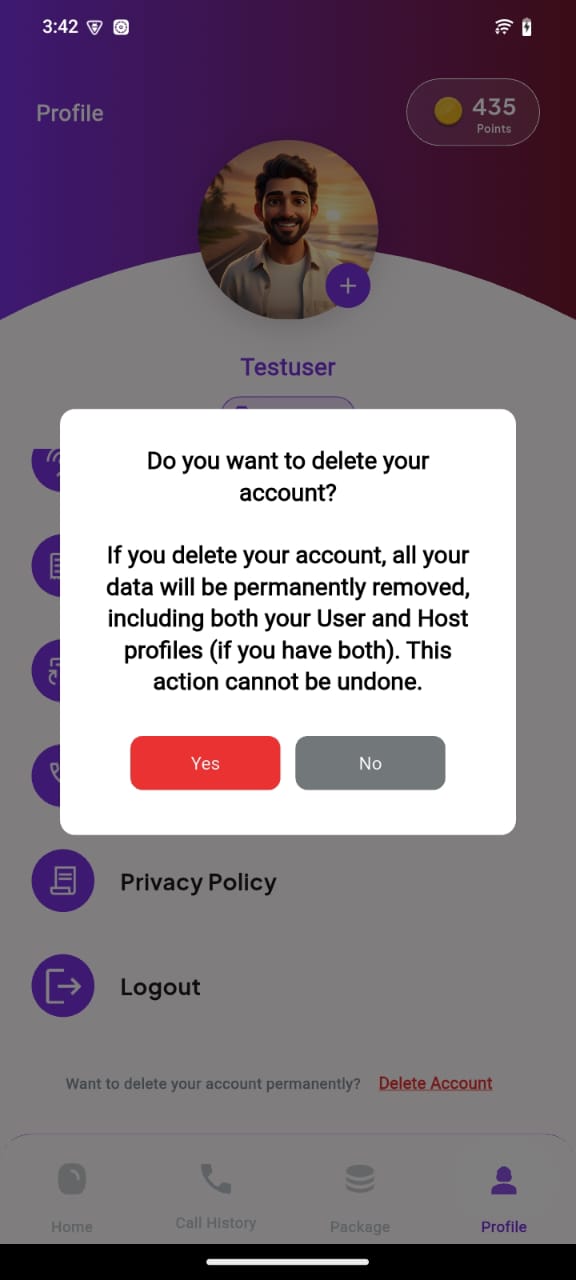
Scroll down on profile screen and you will find Delete account option.Confirm the deletion by clicking yes in the dialog box.
Important Notice
Account deletion is permanent and cannot be undone. All your data, including profile information, messages, and app history will be permanently removed from our servers. Please make sure you want to proceed before confirming the deletion.
Need Help?
If you're having trouble deleting your account or have questions about the process, please contact our support team:
Email:friendlytalk786@gmail.com
Response Time: Within 24 hours